MojiWeather: Weather Radar
- 4.5
- Rating
- 500.00K
- Installs
- Free
- Price

 Analysis by App-foxy
I usually judge a weather app by what happens when I need an answer quickly, not by how attractive its forecast screen looks. MojiWeather: Weather Radar caught my attention because it puts a long radar view at the center of the experience rather than treating weather maps as a secondary extra. After spending time with it, I see it as a focused weather app for people who want to watch conditions develop, especially when a normal daily forecast feels too vague.
It is a free weather app from MOJI WEATHER PTE. LTD., available for everyone and running on Android devices using version 7.0 or later. Its current version is 1.46.0, and the app has already passed half a million installs with an average rating of 4.5 from around nine thousand ratings. Those figures suggest that it has found a useful audience, although I would still look at the way you personally use weather information before choosing it over a more traditional forecast app.
How MojiWeather feels during everyday use
I find MojiWeather most useful when I treat it as a quick planning check, not a screen to monitor constantly. Its radar view can help me decide whether to leave now, wait a little, or keep an outdoor plan flexible; next, I’ll look at how a first-time user can turn that view into a practical decision.
You May Also Like

 Blood Strike: 2.5 Anniversary
Blood Strike’s Loadouts Turn Every Drop Into a Tactical Gamble
A close look at Blood Strike’s custom loadouts: how fast access to signature weapons reshapes its battle royale rhythm, rewards preparation, and narrows the gap between fights.

 Pandora - Music & Podcasts
Pandora’s Music Is Easy to Start, but Harder to Recover
Pandora’s strength is its low-effort path from a seed to a station. Its weak spot is how much confidence it asks you to place in connection, setup, and quiet recovery.

 8 Ball Pool
 Is Built on Rivalries, Rematches, and Routine
A close look at the rivalries, rematches, shared routines, and unanswered safety questions that turn a quick pool match into a persistent mobile community.

 Samsung Music
’s Quiet Strength Is Playing What You Already Own
Its reach comes less from spectacle than from dependable access to a personal library. That simplicity is both the app’s strongest retention engine and its ceiling.

 AccuWeather: Weather Radar
AccuWeather Review: A Quick, Clear Forecast for Everyday Decisions
For everyday plans, the best forecast is the one you can understand quickly. AccuWeather makes rain timing, radar, and local conditions easy to act on, with a few trade-offs.

 Hill Climb Racing
Why Hill Climb Racing Still Turns Crashes Into One More Run
A tiny car, a bumpy hill and one more upgrade: Hill Climb Racing keeps resurfacing because its simple chaos makes every near-miss feel personal.
More From Our News Desk



A quick first look at the radar experience
The main appeal is clear from the start: this is built around radar maps covering a 48-hour period. That changes the way I use it. Instead of asking only whether rain is expected today, I can think in terms of movement and timing. Is a rain area approaching? Does it appear to pass before I leave? Is the weather pattern likely to make an outdoor plan uncomfortable later?
That longer radar perspective is more useful than a single current-condition icon when the weather is unsettled. A standard forecast can say “rain” for a broad part of the day, but a map gives me a better mental picture of whether I should wait, leave earlier, or move an activity indoors. I would not treat the map as a guarantee, but it is a practical planning layer.
In my experience, perceived speed matters most when I open a weather app at the door, beside a bus stop, or while deciding whether to carry equipment outside. MojiWeather feels designed for that kind of quick check. Its purpose is narrow enough that I do not need to navigate through unrelated lifestyle panels before reaching the information I want. That focus is one of its strongest qualities.
The trade-off is that a radar-first design may feel less immediately familiar to someone who prefers a simple temperature and forecast list. If your ideal weather app is a quiet glance at today’s high and low, this approach may seem more involved. The map is valuable because it shows movement, but it also asks you to interpret that movement rather than simply read a sentence.
What the 48-hour view changes in practice
The extended radar window is especially helpful for planning around transitions. I can check the period before commuting, the likely conditions around an appointment, and the return journey without repeatedly opening the app throughout the day. That makes it more useful for people whose plans stretch across several hours rather than those who only need the current temperature.
A useful habit is to check the map twice before making a firm decision: once when planning and again shortly before leaving. The first check helps me understand the broad pattern; the second helps me catch a change in timing. This is a better use of radar than staring at it continuously and assuming every visible patch will arrive exactly when expected.
Another practical use is comparing a short trip with a longer one. A shower that is irrelevant for a ten-minute errand may matter greatly for a cycling route or outdoor work session. The 48-hour view encourages that kind of time-based thinking. It does not remove uncertainty, but it gives me more context than a single weather symbol.
Speed during normal checks
For ordinary checks, I value the app’s direct purpose more than flashy presentation. I can open it with a question already in mind: whether rain is moving toward my area, whether a planned walk is worth starting, or whether tomorrow’s outdoor task needs a backup plan. The experience feels most efficient when I use it as a decision tool rather than browsing every available view.
There is also a subtle advantage in not relying on the first forecast line I see. A radar map lets me notice when conditions are changing around the forecast’s broad wording. That makes MojiWeather a useful companion to a conventional weather app. I would use a standard forecast for a quick summary and this app for visual confirmation of precipitation movement.
When the app is under heavier pressure
The more demanding moments are not necessarily about leaving the app open for a long time. They are the situations in which I repeatedly inspect the map, move around a wider area, and compare several time periods while making a decision. A family outing, a long drive, a sports session, or outdoor work can turn a quick check into a series of map visits.
In those moments, the app’s usefulness depends on how quickly the visual information becomes understandable. A radar map can be rich without being immediately simple. I recommend first identifying your location, then following the direction of the weather pattern, and only afterward thinking about the exact timing. Trying to interpret every color or movement at once makes the experience feel more complicated than it needs to be.
For event planning, I would use the app as an early warning and scheduling aid rather than the only source of truth. If I were arranging a picnic, I might check the broad period several hours ahead, choose a flexible start time, and check again before leaving. That workflow uses the app’s strongest feature while accepting that local weather can change.
It is also useful for people who make frequent small decisions. A delivery worker, dog walker, photographer, gardener, or commuter may benefit from seeing whether a rain area is approaching rather than waiting for a notification or relying on a generic hourly label. The value accumulates through these small checks.
Stability and recovery after interruptions
Weather apps are often opened in imperfect conditions: weak reception, a busy street, low battery, or a phone that has been switching between other tasks. I pay attention to whether an app remains understandable when I return to it after an interruption. MojiWeather’s focused purpose helps here because I know what I am trying to find when I come back: the radar view and the relevant time period.
I would still avoid treating any weather app as an emergency instrument. A radar display is useful for awareness, but serious weather decisions should involve official local alerts and instructions. That is not a criticism unique to this app; it is an important boundary for radar products generally. A visually convincing map should not encourage false confidence.
The app’s rating and install history give me some confidence that it is not an obscure experiment, and the active version indicates ongoing maintenance. Still, a good recovery habit is to reopen the map before relying on an earlier impression. Weather information becomes stale, and remembering what the map looked like a while ago is not the same as checking current conditions.
Battery, storage, and older devices
MojiWeather supports Android 7.0 and later, which makes it accessible to people using older Android phones as well as newer models. That broad compatibility is welcome, particularly for anyone who keeps an older device as a travel phone or uses a budget handset. I would not assume that an older phone will feel identical to a recent one, though. Map-based interfaces naturally place different demands on devices than a plain text forecast.
For light use, I would open the app, inspect the radar, and close it rather than leaving the map active for long periods. That is sensible for battery conservation regardless of the phone. If you are travelling, it is worth checking the map before setting off and avoiding unnecessary repeated refreshes when you already have enough information to make a decision.
People with limited storage should also remember that a weather app can be small in everyday importance even when its maps are visually substantial. I would judge it by how well it fits into your routine rather than installing it simply because radar sounds impressive. If your phone is older and already struggles with map-heavy apps, a lightweight forecast app may feel more comfortable.
On the other hand, the minimum operating-system requirement means you do not need a recent Android release just to try it. That makes the app easier to recommend to someone who wants radar without replacing their phone. The important question is not only whether it installs, but whether your screen, connection, and normal usage habits make map reading convenient.
Who gets the most from this app
I think MojiWeather is a strong match for people who want to answer “when will the rain reach me?” rather than only “will it rain today?” It suits commuters who walk between transport stops, parents arranging outdoor activities, people who work outside, and anyone who regularly adjusts plans around passing showers.
It is also a good choice for users who think visually. Some people find a moving weather area easier to understand on a map than through a row of hourly icons. If that is you, the radar focus can make the app feel more useful than a conventional forecast screen.
Travellers may appreciate the longer planning window, but I would be careful about depending on one app when moving through unfamiliar regions. Local conditions, terrain, and official warnings can matter more than a general visual overview. Use the radar to orient yourself, then confirm important information through authoritative local sources.
Who should choose a different weather tool
I would skip MojiWeather if your only requirement is a minimal current-temperature display. A simpler app may get you to that answer with less visual interpretation. I would also look elsewhere if you need a broad collection of specialized weather information and your preferred service already provides it in a format you understand well.
Users who dislike maps may find the central idea less appealing, even if the app works smoothly. Radar is not automatically better than a forecast list; it is better for certain questions. Someone planning clothing for the day may care more about temperature, wind, and a concise summary than about following precipitation movement.
There is another trade-off for people who want certainty. The map can help with timing, but it should not be read as a promise that rain will begin or end at an exact minute. If you need a firm yes-or-no answer for a high-stakes activity, the app should be one input among several rather than the final authority.
Free access and the in-app purchase question
The app is free to download, which makes trying the radar approach straightforward. Optional in-app purchases range from ninety-nine cents to twenty-nine dollars and ninety-nine cents per item. I would not pay automatically just because the app is free at the starting point; first, I would use it during the kinds of weather decisions I actually make.
The best way to judge value is to ask whether the radar changes your behavior. If it helps you avoid unnecessary trips in the rain, choose better times for outdoor work, or coordinate a longer journey, it may earn a place on your phone. If you open it only to see a temperature you could find elsewhere, paid extras are less likely to feel worthwhile.
Because the purchase range is wide, I would inspect each option carefully before confirming anything and decide whether the added value matches your usage. A casual user and a person who checks weather throughout the day do not have the same needs. The free starting point lets both groups test the basic experience before making that decision.
My practical workflow for using MojiWeather
I get the most from the app with a simple three-step routine. First, I check the radar early enough to identify the general direction of changing conditions. Second, I compare that pattern with the length and flexibility of my plan. Third, I look again shortly before leaving if the activity depends on staying dry.
For a morning commute, I would not just ask whether rain appears somewhere nearby. I would check whether the visible area is moving toward the route, whether the timing overlaps with the walk between stops, and whether waiting a little would make a meaningful difference. That turns the map into a practical planning aid instead of a screen I merely watch.
For an outdoor job, I would use a wider planning window and build in a fallback. If the radar suggests a break, I might schedule the most weather-sensitive task inside that period, while keeping less sensitive work available if the timing shifts. This is one of the app’s less obvious strengths: it supports flexible scheduling better than a fixed daily icon.
For a family outing, I would show the map to the people involved and agree on a simple rule, such as leaving earlier or choosing an indoor alternative if the approaching area becomes more relevant. That is easier than arguing over a vague forecast label. The map does not make the decision for me, but it makes the conversation more concrete.
My performance verdict
After using it as a radar-centered weather companion, I think MojiWeather succeeds because it has a clear job. The 48-hour radar maps make it more useful for timing and movement than a basic forecast app, and the support for Android 7.0 or later keeps it accessible to many devices. Its free entry point also lowers the risk of trying a different style of weather information.
Its limitations come from that same focus. A map asks for interpretation, and it should not replace official alerts or a broader forecast when the decision is important. People who want a compact temperature summary may prefer another app, while older or less capable phones may be more comfortable with a simpler interface. I would also use it thoughtfully rather than leaving it open constantly, especially when battery or connectivity matters.
My recommendation is straightforward: install it if you regularly need to judge the timing of rain and prefer seeing weather move across a map. The strongest reason to choose it is not the number of forecast details, but the way its radar view helps turn uncertain weather into a more manageable plan. For my own routine, it works best alongside a conventional forecast: one gives me the summary, while MojiWeather helps me decide when to act.
With an average rating of 4.5 and more than half a million installs, it has clearly become a credible option in the weather category. I would recommend giving the free version a proper trial during a week with changing conditions rather than judging it on a clear day. That is when its visual approach has the best chance to prove whether it genuinely improves the way you plan your time.
FAQs for MojiWeather: Weather Radar
01What is MojiWeather: Weather Radar, and what does it offer?
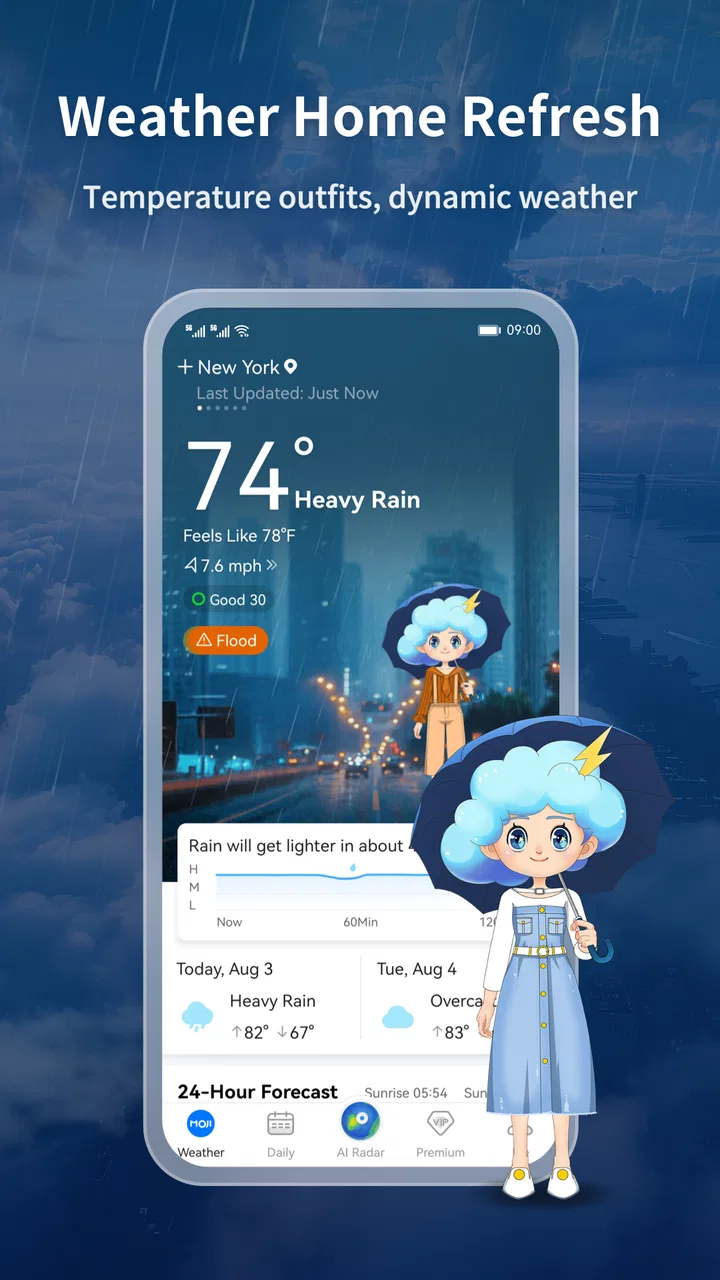
MojiWeather: Weather Radar is a weather application designed to provide current conditions, forecasts, and radar-based information in a visual and easy-to-read format. It can help you check temperature, precipitation, wind, and other local details, while radar views are useful for following approaching rain or storms. The exact features and forecast coverage may vary by location and device.
02How accurate are the forecasts and weather radar in MojiWeather?
Forecast accuracy depends mainly on the weather data providers, your location, and how far ahead you are checking. Short-term forecasts and nearby radar information are generally more useful than long-range predictions, especially during rapidly changing conditions. MojiWeather should be treated as a convenient planning tool rather than an official emergency source. Always confirm severe-weather warnings through local authorities.
03Does MojiWeather: Weather Radar require location access?
The app can use location access to automatically display weather conditions and forecasts for your current area. You may usually choose whether to grant precise or approximate location permission, depending on your device settings. If you prefer not to share your location, you can often search for and save cities manually, although some automatic local-weather features may be less convenient or unavailable.
04Is MojiWeather: Weather Radar free to download and use?
MojiWeather may be available to download at no initial cost, but the free version can include advertising, feature limitations, or optional in-app purchases. Premium tools may vary by platform and app version, so it is worth checking the store listing before subscribing. Review the billing terms carefully, particularly whether a trial automatically changes into a recurring subscription.
05Does the app provide severe-weather alerts and notifications?
MojiWeather may support weather notifications or alerts, but availability can depend on your country, selected locations, operating-system permissions, and the data supplied by its weather services. After installation, check notification settings and make sure background activity is allowed if timely updates are important. For dangerous storms, floods, or other emergencies, rely on official local warning systems as well.
Pros
- Clear radar maps make approaching rain and storms easy to track.
- Fast access to current conditions and short-term forecasts.
- Useful weather alerts help users prepare for sudden changes.
- Clean interface keeps key weather information easy to find.
- Supports location-based forecasts for convenient travel planning.
Cons
- Some advanced radar or forecast tools may require a subscription.
- Accuracy can vary depending on local weather data coverage.
- Frequent alerts may feel excessive without careful notification settings.
- Radar imagery can use considerable mobile data over time.
- The app may rely heavily on location permissions for full functionality.

MojiWeather: Weather Radar
Gallery